itechΛhead
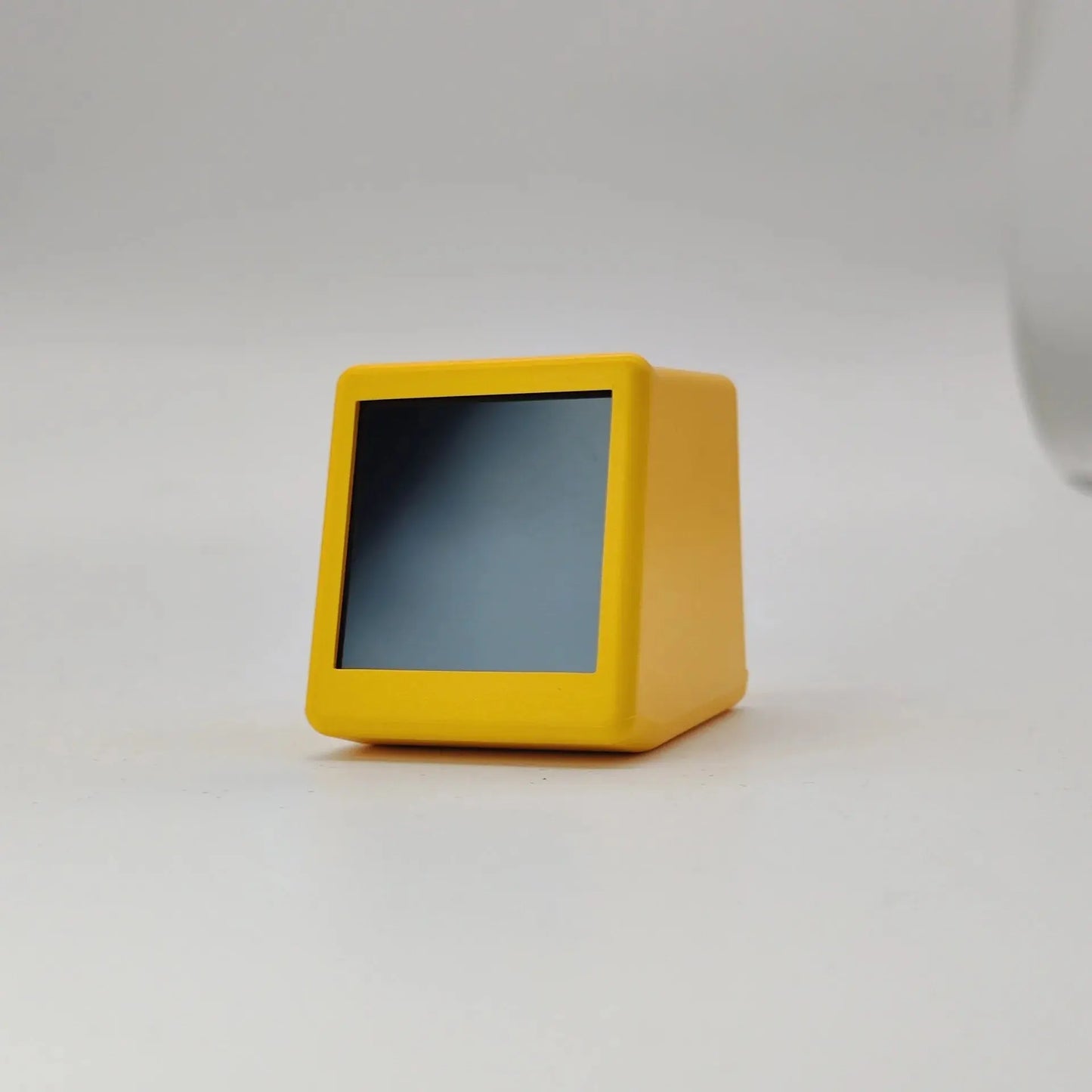
WeatherCube Mini - Smart WiFi Weather Display & Animated Desk Clock
Couldn't load pickup availability
Your Personal Weather Dashboard in a Tiny, Stylish Package
Meet the WeatherCube Mini—a compact, connected weather station that transforms real-time meteorological data into an eye-catching desktop display. This ultra-compact smart device pulls live weather information from the internet and presents it on a crisp digital screen, complete with customizable GIF animations that add personality to your workspace.
Why Choose WeatherCube Mini?
WiFi-Connected Real-Time Weather Unlike traditional weather stations with bulky sensors, WeatherCube Mini connects directly to your WiFi network and pulls accurate, up-to-the-minute weather data from professional meteorological sources. Get comprehensive information including:
- 🌡️ Current Temperature - Indoor and outdoor readings
- 💧 Humidity Levels - Monitor moisture in the air
- 🌤️ Weather Conditions - Visual weather icons
- 🌬️ Wind Speed - Real-time wind data
- 📊 Atmospheric Pressure - Barometric readings
- 📈 High/Low Temps - Daily temperature range
- 📍 Location Display - Your city and country/region
- 📅 Date & Day - Always know the current date
Customizable GIF Animation Display Here's where WeatherCube Mini gets fun! Upload your own custom GIF animations to display on the screen. Choose from:
- Cute animated characters
- Your favorite memes
- Company logos
- Seasonal decorations
- Personal photos converted to GIF
- Rotating art displays
Transform your weather station into a dynamic piece of digital art that reflects your personality!
Ultra-Compact Desktop Design At just 45mm × 35mm × 40mm (smaller than a golf ball!), WeatherCube Mini fits perfectly on any desk, nightstand, computer case, shelf, or workspace without taking up valuable real estate. The minimalist design complements modern, contemporary, and tech-forward aesthetics.
Three Stylish Color Options Choose the finish that matches your space:
- ⚫ Matte Black - Sleek and professional
- ⚪ Clean White - Modern and minimalist
- 💛 Vibrant Yellow - Playful and energetic
Perfect For
🏠 Home Spaces:
- Bedroom nightstands - Check weather before getting dressed
- Home office desks - Monitor conditions while working
- Kitchen counters - Plan your day over coffee
- Computer gaming setups - Tech-forward decoration
- Living room shelves - Conversation starter
💼 Professional Environments:
- Office desks - Quick weather reference
- Reception areas - Informative display
- Tech workspaces - Geeky decoration
- Study desks - Functional accent piece
🎁 Gift Ideas:
- Tech enthusiasts
- Weather nerds
- Gadget collectors
- College students
- Remote workers
- Minimalist décor lovers
Technical Specifications
- Product: WeatherCube Mini Smart Weather Display
- Dimensions: 45mm × 35mm × 40mm (ultra-compact)
- Material: Durable ABS Plastic
- Display: Digital LCD Screen (English)
- Color Options: Black, White, Yellow
- Connectivity: WiFi (2.4GHz required)
- Interface: Type-C USB
- Power Source: External power ONLY (Type-C USB cable included)
- Power Supply: 5V USB (wall adapter, computer, power bank)
- Setup: Web-based configuration (multi-language support)
- Display Language: English
- Functions: Weather, temperature, humidity, time, date, atmospheric pressure, wind speed, location, custom GIF display
What's Included
✓ 1 × WeatherCube Mini Weather Display ✓ 1 × Type-C USB Cable (1 meter, black or white) ✓ 1 × User Manual with Setup Instructions ✓ Access to web configuration portal
Important Product Information
⚠️ Please Read Before Purchase:
This device requires:
- ✅ WiFi internet connection (2.4GHz network)
- ✅ Continuous external power via USB Type-C
- ✅ Initial web-based setup using computer or smartphone
This device does NOT have:
- ❌ Internal battery (must stay plugged in at all times)
- ❌ Internal temperature/humidity sensors (displays internet weather data)
- ❌ Physical buttons or touchscreen controls
- ❌ Alarm clock function
- ❌ Standalone operation without WiFi
Key Understanding: WeatherCube Mini pulls all weather data from the internet based on your configured location. It displays outdoor weather conditions for your area, not the temperature of the room it's in. Think of it as a "weather dashboard" rather than a traditional weather station with sensors.
Easy Setup Guide
Step 1: Power Connection Connect the included USB Type-C cable to WeatherCube Mini and plug into any USB power source (wall adapter, computer USB port, power bank, etc.).
Step 2: WiFi Configuration When first powered on, the device creates a WiFi hotspot. Connect your smartphone or computer to this hotspot.
Step 3: Web Interface Setup Open your web browser and access the configuration page. The web interface supports multiple languages for easy setup.
Step 4: Configure Settings Enter your:
- WiFi network name and password
- Location (city/country)
- Preferred weather data source
- Time zone settings
- Custom GIF upload (optional)
Step 5: Connect & Enjoy Once configured, WeatherCube Mini connects to your WiFi and immediately begins displaying real-time weather data, time, and your custom animations!
Customization Features
Upload Your Own GIF Animations Access the web configuration portal to upload personalized GIF files:
- Maximum file size and dimensions specified in manual
- Loop animations continuously
- Change GIFs seasonally or based on mood
- Create rotating galleries
- Express your creativity!
Weather Data Sources Choose from multiple weather API sources for the most accurate data in your region.
Display Preferences Customize what information appears on screen and in what order through the web portal.
Display Information Breakdown
Your WeatherCube Mini can show:
📍 Location Data:
- Current city name
- Country/region
- Day of the week
- Full date
🌤️ Weather Information:
- Current weather conditions (sunny, cloudy, rainy, etc.)
- Outdoor temperature
- Outdoor humidity
- Daily high temperature
- Daily low temperature
- Wind speed
- Atmospheric pressure
🎨 Animations:
- Custom uploaded GIF animations
- Weather-appropriate icons
- Rotating displays
Power Options
Since WeatherCube Mini requires continuous power, you have flexible options:
💡 Convenient Power Sources:
- USB wall adapter (not included)
- Computer USB port
- USB power bank (for temporary portable use)
- Monitor/laptop USB ports
- Smart power strips with USB
- Car USB chargers (for vehicle use)
Note: A standard 5V USB power supply is required. Most smartphone chargers work perfectly.
Ideal Use Cases
Morning Routine Hub Place on your nightstand to check weather conditions before choosing your outfit. See temperature, precipitation, and wind speed at a glance.
Workspace Weather Monitor Keep informed about outdoor conditions while working inside. Plan lunch breaks, commutes, and after-work activities based on real-time data.
Conversation Starter The combination of useful weather data and custom GIF animations makes this a unique talking point for visitors and video calls.
Tech Showcase Perfect for tech enthusiasts who love displaying their latest gadgets. The compact form factor and WiFi connectivity showcase your smart home setup.
Gift for Remote Workers Help remote professionals stay connected to the outside world while working indoors all day.
Frequently Asked Questions
Q: Does this measure the temperature in my room? A: No, WeatherCube Mini displays outdoor weather conditions for your configured location pulled from the internet. It does not have internal sensors.
Q: Can I use this without WiFi? A: No, WeatherCube Mini requires continuous WiFi connection to retrieve weather data and time information.
Q: Does it work on battery power? A: No, this device has no internal battery and must remain connected to USB power at all times to function.
Q: Can I set alarms on this? A: No, WeatherCube Mini does not have alarm functionality. It displays time but cannot be used as an alarm clock.
Q: How do I control it if there are no buttons? A: All configuration is done through the web-based interface accessed during initial setup. Once configured, the device automatically displays information without user interaction.
Q: What WiFi networks does it support? A: WeatherCube Mini connects to standard 2.4GHz WiFi networks. It does not support 5GHz-only networks.
Q: Can I change the displayed information? A: Yes, through the web configuration portal you can customize what data appears and upload custom GIF animations.
Q: Will this work internationally? A: Yes! Configure it for any location worldwide. The web interface supports multiple languages, though the display shows information in English.
Care & Maintenance
🔹 Keep away from water and liquids 🔹 Wipe gently with soft, dry cloth 🔹 Avoid exposure to direct sunlight for extended periods 🔹 Do not drop or impact the plastic housing 🔹 Keep USB connection secure 🔹 Update GIF animations periodically for fresh content
What Makes WeatherCube Mini Special?
✨ Internet-Connected Intelligence - Always accurate, always current ✨ Tiny Footprint - Fits anywhere without clutter ✨ Personality Expression - Custom GIF animations make it uniquely yours ✨ Comprehensive Data - More than just temperature ✨ No Subscription Required - One-time purchase, free weather data ✨ Minimalist Design - Clean aesthetic for modern spaces ✨ Plug-and-Play - Simple setup, automatic operation
⚠️ CRITICAL REMINDERS:
- Requires continuous USB power (no battery)
- Requires WiFi connection (2.4GHz)
- No internal sensors (displays internet weather data)
- No buttons, no alarm, no touch controls
- Setup via web interface
- English display only
Share